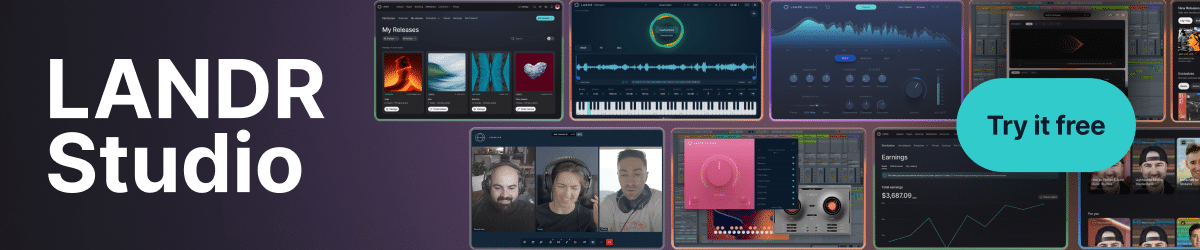
An all-in-one music ecosystem
Introduction By Paul Vnuk Jr.
Launched in 2014, LANDR is a cloud-based music production ecosystem designed to help artists, producers and engineers create, finish and distribute music from a single platform. More recently, the company has introduced a lineup of LANDR-branded plugin processors, several of which we will take a closer look at here.
Past Featured Reviews
- October 2026: Chandler Limited REDD Mixing System
- September 2026: Barefoot Sound Footprint 01 Gen 02 and Footprint 02 Gen 02
- iamReverb
- August 2026: Focusrite ISA C8X
- July 2026: JZ Microphones MU-1
- Fender Quantum LT 16 USB-C Audio Interface
- LANDR: An all-in-one music ecosystem
- June 2026: Strymon NightSky Experimental Reverb Plugin
- May 2026: Sennheiser HD 480 PRO
About LANDR
Headquartered in Canada, LANDR (short for Left AND Right) began as one of the first subscription-based AI-powered online mastering services. It has since expanded into music distribution, curated plugin offerings and virtual instruments, and is quite popular for its large, ever-growing catalog of royalty-free samples, along with education and collaboration tools. The company also recently acquired Reason Studios, though it is not yet integrated into the LANDR ecosystem.
Three Ways to Play
LANDR operates on a three-tier subscription model—Studio Essentials, SE and PRO—available monthly or annually, with features and content expanding at each level:
Studio Essentials – $13 monthly; $8.25/month annually
Studio Standard – $20 monthly; $12/month annually
Studio – $25 monthly; $16/month annually
Higher tiers add unlimited masters (including WAV), storage, distribution features, sample credits and plugin access. Annual plans also include bonus partner plugins, sometimes valued up to $3,000.
The company’s in-house plugin bundles are also available as perpetual licenses.
Music Creation
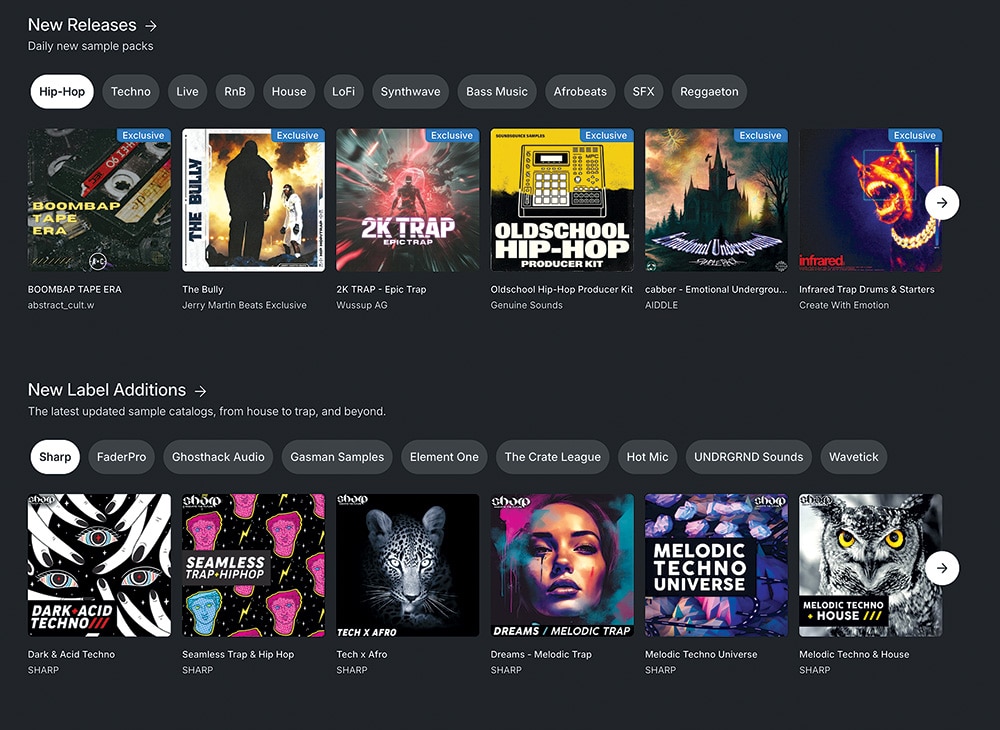
LANDR is well known for its catalog of more than 3 million—and growing—royalty-free samples. The library is cleanly organized by style, genre and mood, with Top 50 charts, new releases and weekly free packs beyond your credit allotment.
These samples and sound sets are designed to work seamlessly in most DAWs and popular software samplers. LANDR also offers its own downloadable sample player and composition tools, including the LANDR Sampler, the LANDR Chromatic loop-based sample player instrument and the LANDR Synth X wavetable synth. Rounding things out is the AI-powered MIDI composition assistant, LANDR Composer.
If you are just getting started, you can also grab Cubase Pro 15 LE or Ableton Live 12 Lite with your subscription.
Music Mixing
On the mixing side, LANDR includes 70+ plugins from developers like Audified, Tone Empire, Synchro Arts, Applied Acoustics Systems, UVI, UJAM, IK Multimedia and Spitfire Audio, among others.
It also has its own growing plugin lineup, including LANDR ReHance, LANDR Layers, LANDR Stems, the LANDR FX Suite, the LANDR Vocal Plugin Bundle and the LANDR Mastering Plugin (SE and Pro), alongside its online mastering service.
Distribution
When your music is ready, LANDR handles distribution to 150+ platforms, including Spotify, Apple Music, TIDAL, Amazon Music, YouTube Music and Pandora. Your releases stay live even if you cancel, and you keep 100% of your royalties.
Online Courses
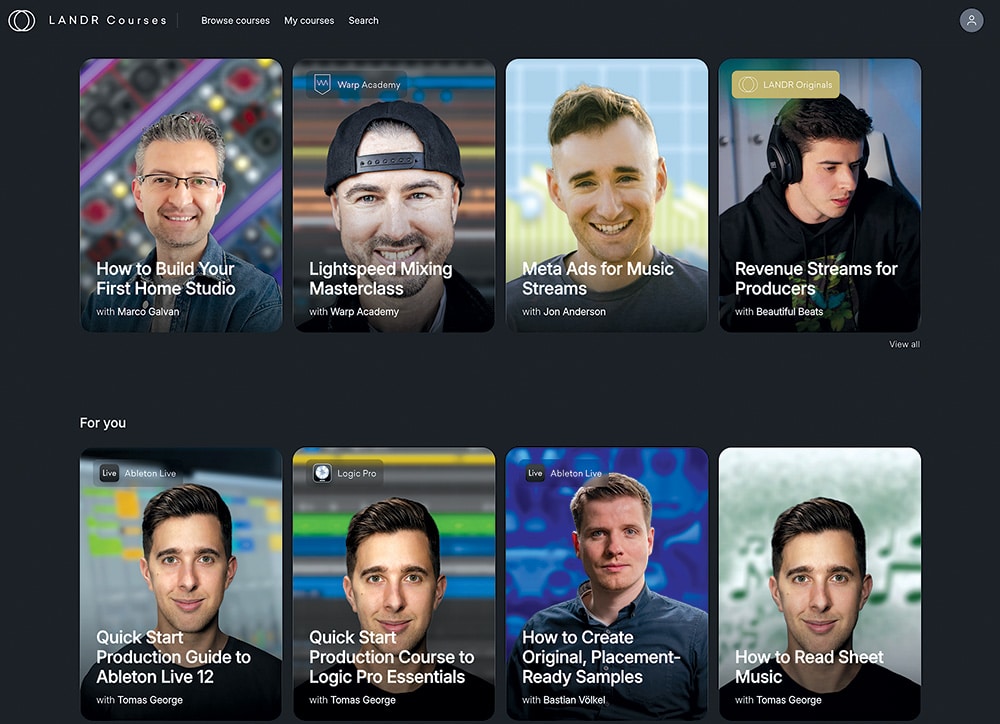
Your subscription also includes a wide variety of tutorials covering popular DAWs, general music production, instruments and more, across beginner, intermediate and advanced skill levels.
I checked out several of the tutorials for my DAW of choice, Cubase, and picked up a few new tricks that I plan to incorporate into my workflow. I can also see myself exploring courses for Apple Logic Pro and Ableton Live in the near future. Perhaps what interests me most are the topics related to digital distribution, marketing and social media promotion.
The videos are well done and, unlike many online offerings, refreshingly straightforward and free from “chitty-chatty” bloat and influencer self-hype. Each session/lesson is broken into chapters that you need to manually advance through as one ends, and I do wish there were an auto-advance option or a way to watch the entire uncut video when desired.
Collaborate
The final piece is a growing set of collaboration tools—messaging, community channels, video and file sharing—which I have not fully explored yet.
General Considerations
While I have been aware of LANDR over the past decade, this was my first time really digging into the platform. To be honest, I rarely seek out or use third-party samples, and I am generally wary of online AI-assisted mastering (more on that in a moment). That said, after seeing the full scope of what is on offer, a LANDR subscription delivers serious bang for the buck as an all-in-one ecosystem for music creation, mastering and distribution, with useful extras like education and collaboration.
It may lean toward modern creators, but there is real value here—and we “seasoned pros” may just be surprised by what we find.
LANDR Mastering Plugin PRO and Mastering Plugin SE and Online Mastering
Effective mastering made simple
Review By Paul Vnuk Jr.
Now we move into the review portion of our look at LANDR, and to kick things off, I am diving into a process I have long been both skeptical and critical of: online, AI-based mastering.
Mastering Three Ways
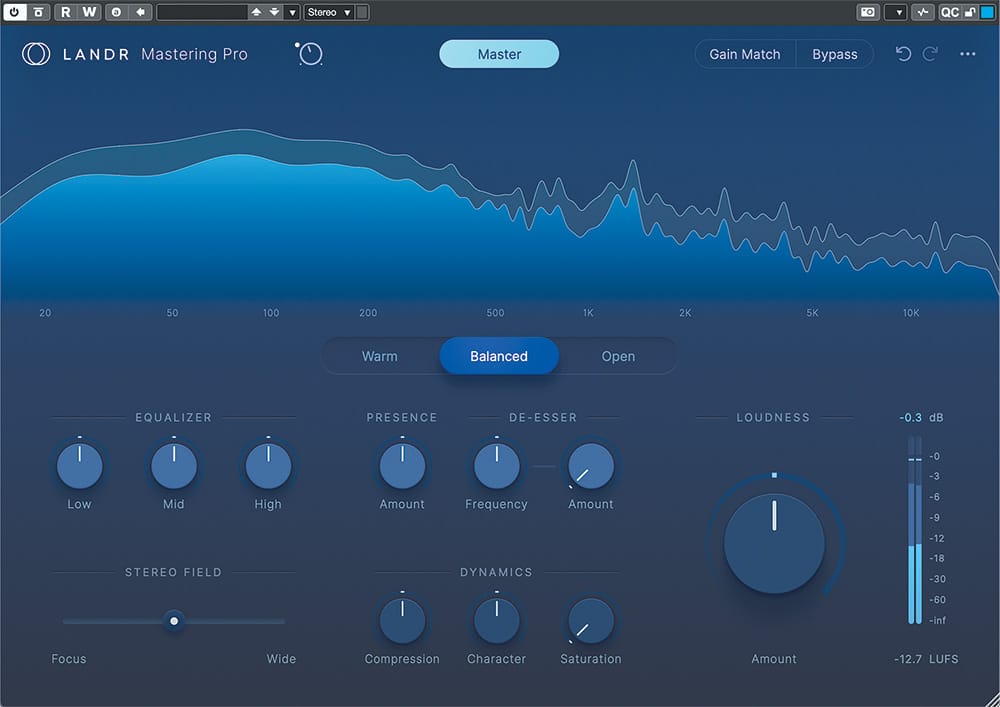
LANDR offers three AI-based ways to master your tracks—the original online service and two plugins, SE and PRO. Overall, each approach is procedurally and sonically similar: the AI analyzes a portion of your track, processes the data and applies the balance of tone, width and loudness it determines to be best. SE is the most basic, followed by the online version, with PRO offering the most control and flexibility.
Online Mastering
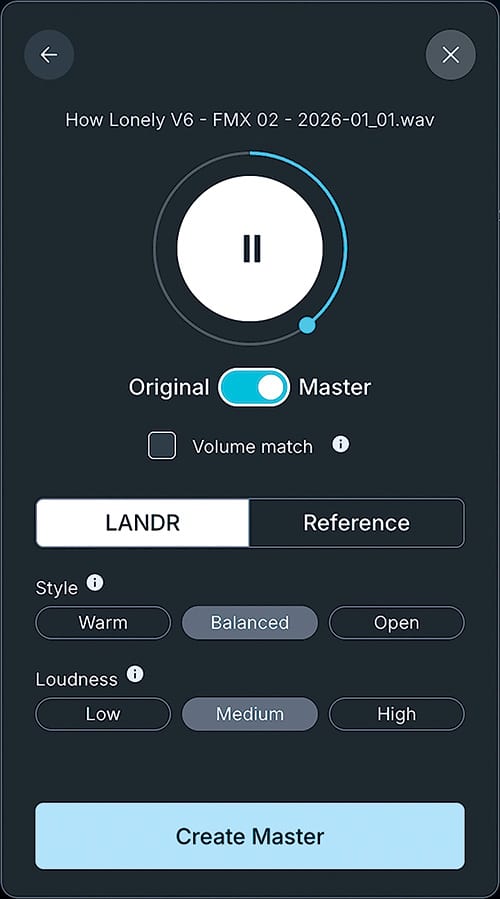
The online process begins by uploading your track. Within a few minutes, you are presented with a browser-based player where you can audition a looped section of your track in both its original and mastered states, switching between them in real time. You can also upload a reference track for comparison if desired.
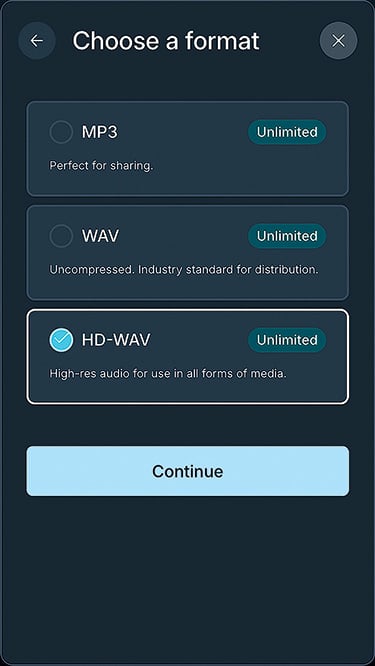
The process lets you shape the result with three tonal options—Warm, Balanced, or Open—and three loudness settings: Low, Medium, or High. Beyond a level-matched comparison button, there are no deeper tweak options. Once satisfied, you can export your track as an MP3, WAV, or high-resolution HD WAV.
Mastering Plugin SE
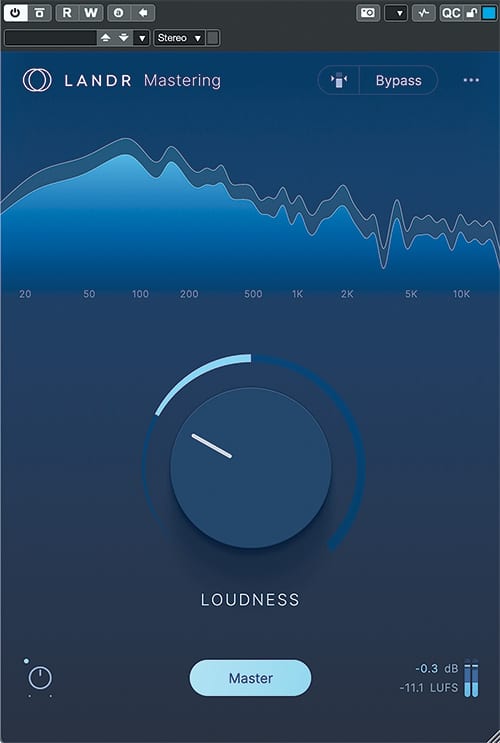
Options two and three come in the form of plugins (AAX, VST3 and AU) that you install in your DAW. The LANDR Mastering Plugin SE is even more stripped down than the online version. After its AI-assisted analysis, the interface offers a small input level control to manage headroom, along with level matching and bypass.
Beyond that, you get a single large Loudness knob paired with a compact LUFS meter. Output is fixed at -0.3 dBFS, while integrated LUFS is adjusted via the Loudness control. There are no tonal shaping options in the SE plugin.
LANDR Layers
Your new AI music song buddy
Giles Reaves
LANDR is on a bit of a roll these days, with new products being introduced and, of course, the recent acquisition of Reason Studios (formerly Propellerhead Software). One of the more interesting new offerings is LANDR Layers.
Ethical AI
Layers is an “ethical AI” music collaboration tool from LANDR that uses paid musicians to create the models you can choose from. This is first-generation technology, and I’m reviewing it as such—meaning I expect a more robust version of this concept as it evolves.
Layers are limited to two minutes in length, and each minute generated is deducted from your monthly allotment. The main downside is that you cannot audition a layer before committing, so even unused results still count against your time. It would be nice to hear previews first, though there may be technical reasons why that is not currently possible. I also found that some generated layers could be sparse—occasionally just a single note at points—which limits their usefulness.
Audio quality is about what I expected: not the most realistic or highest fidelity, but still workable in a mix context. I was most underwhelmed by the drum sounds, which felt a bit diffuse and lacked attack. That said, if you are using Layers for ideas and inspiration, it works well—especially since you will likely re-record parts yourself anyway.
Working with Layers
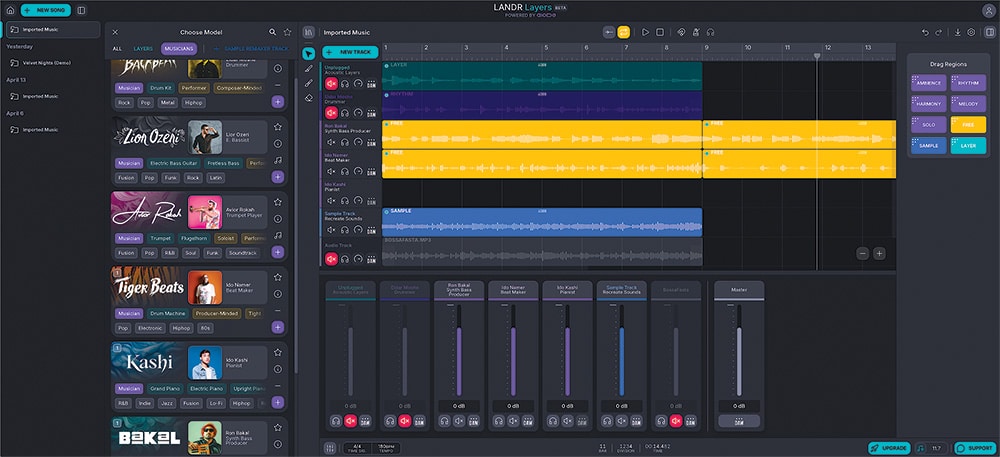
The process is pretty straightforward, at least from my initial time with LANDR Layers. At its most basic, you import an audio track, create a clip (up to two minutes) on the timeline, and go from there. It helps to know your tempo ahead of time, as you may need to line things up if there is any space between the file start and the first downbeat.
There is currently no built-in tempo detection or tap tempo, which feels like an obvious addition for future updates. Fine timing adjustments in the UI are also a bit clunky, but in practice it does not have to be perfect since everything ends up back in your DAW anyway.
From there, you pick an instrument or artist style, define the section you want to generate by drawing a clip on the timeline, and hit generate. You can mute tracks you do not want influencing the result, with a helpful warning if something is muted by accident.
Performance options are fairly simple. Some controls, like ensemble and reverb, are just on or off, while others—dynamics, complexity and fills—use a rotary control that lets you define a range. Since you cannot preview results, expect some trial and error. There is also no real editing—if you do not like a result, you regenerate. Sometimes results are similar, sometimes wildly different, which can be either a strength or frustration depending on what you need.
Once you have something usable, you can drag clips directly into your DAW or onto your desktop. That is about it for export—there are no batch or multi-clip export options at this time.
User Guide
I was unable to find a comprehensive user guide for LANDR Layers that clearly explains each tool or walks through common workflows, so it is entirely possible I missed some deeper functionality. I enjoy diving into a new application cold to see how far I can get, but that is usually followed by a manual deep dive—and that piece feels a bit lacking here.
As a result, there are still some question marks, like how to properly set loop points, what differentiates the various region types and when to choose between a Musician, Layer or Sample Remaker.
In short, the experience can be rewarding, but also a bit frustrating when results land about 75% of the way there with no way to refine what is working and replace what is not. That said, this is clearly a first-generation tool with room to grow, and one worth keeping an eye on.
LANDR ReHance
Clean it up
Review By Giles Reaves
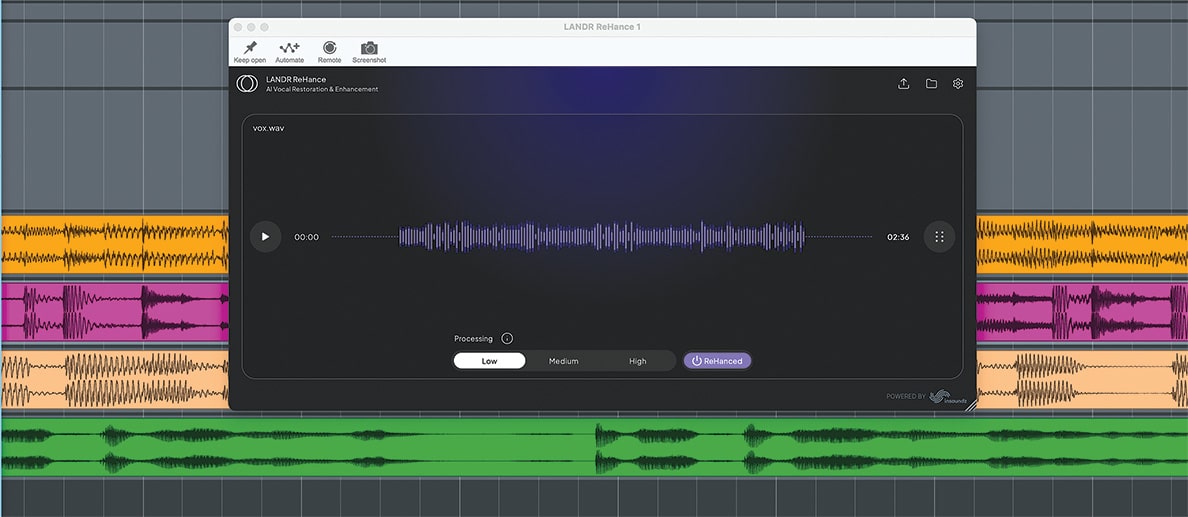
This will be a quick one, as there is not a ton going on under the hood. LANDR ReHance is aimed at cleaning up vocal recordings with excess reverb, ambience or background noise.
You get three controls—Low, Medium and High—to dial in the processing. On some material, the differences are subtle; on others, more noticeable. In my testing, I often wished for finer control, as even the Low setting could feel a bit heavy-handed at times.
That said, results can be impressive. On a field recording next to a noisy creek, ReHance was able to remove the water almost entirely. It was less successful with inconsistent noise, like click bleed on a vocal mic, which still crept through in spots. As with most tools like this, results will vary depending on the source, so some experimentation is required.
ReHance is new, and like Layers, it feels like something to keep an eye on as it evolves.
In General
This kind of processing is clearly CPU intensive, which explains why you cannot preview changes in real time. It reminds me of a lot of first-generation tech I have used over the years—the promise is there, but the execution is still catching up.
Think early hardware samplers like the Akai S900, where moving audio around took time and patience, or the early days of dial-up internet, where you could see the future but had to wait for it to arrive.
All of that said, this technology is clearly on its way. If you enjoy exploring the bleeding edge, there is a lot here to get excited about—even with the current limitations. Approach it with that mindset, and you will likely have a great time while also getting ahead of the curve.
LANDR Vocal Plugins
A suite of sweet vocal plugins
Review by John Czerwinski
In addition to its broader ecosystem, LANDR offers a selection of vocal-focused plugins designed to deliver professional results with minimal effort—helping turn raw vocal tracks into polished performances.
Getting Vocal
There are currently six vocal-focused LANDR plugins: ReHance (for precise cleanup), VoxTune (pitch correction), VoxChain (an all-in-one vocal channel strip), FX Voice (a multi-effects processor with vocal-specific presets), VoxDeEss (sibilance control), and VoxVerb (a vocal-optimized reverb). While their simplicity will appeal to bedroom producers, seasoned engineers may also appreciate them for speeding up workflow while still delivering solid results. Let’s dive in and take a look at each plugin individually.
LANDR ReHance
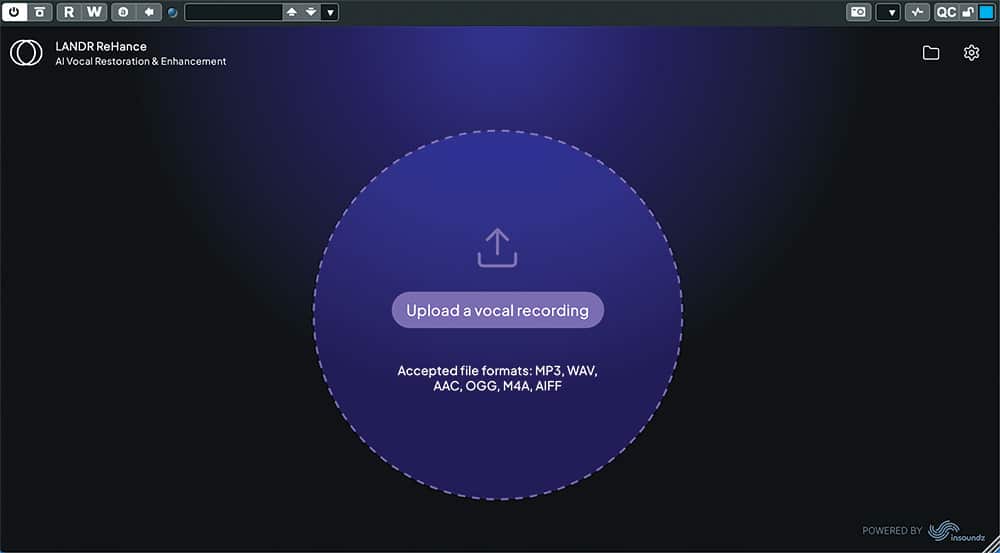
ReHance (powered by InSoundz) is an enhancement and restoration plugin from LANDR that intelligently removes background noise, reverb, plosives, clicks and pops from vocal recordings. It even claims to address clipping. Originally released as a web-based tool, it is now available as a VST3, AU and AAX plugin for use directly in your DAW, and is included with Studio Standard and PRO subscriptions.
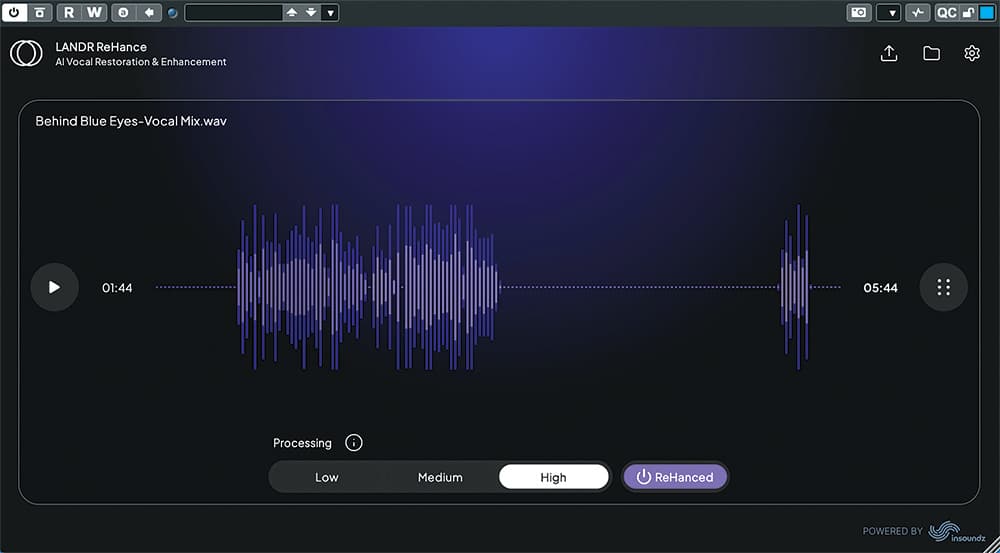
Unlike the other plugins in the bundle, ReHance is loaded on a MIDI track, and upon opening, you are prompted to upload the audio file you want to process. From there, you simply choose Low, Medium or High processing. It is undeniably simple, but the results—especially at higher settings—can be impressive.
While Giles already covered ReHance, I decided to spend some time with it as well. I tested it on a scratch vocal and BGV demo of “Behind Blue Eyes” recorded in my office using my laptop mic (remember this was a demo). As expected, the track was full of room noise and plosives.
After processing, the excessive room tone was largely gone, and the plosives were significantly reduced—almost as if I had used a proper pop filter. What stood out most was how few artifacts were introduced in the process. ReHance proves to be a surprisingly effective tool for salvaging a strong vocal take or cleaning up spoken audio recorded under less-than-ideal conditions.
LANDR VoxTune
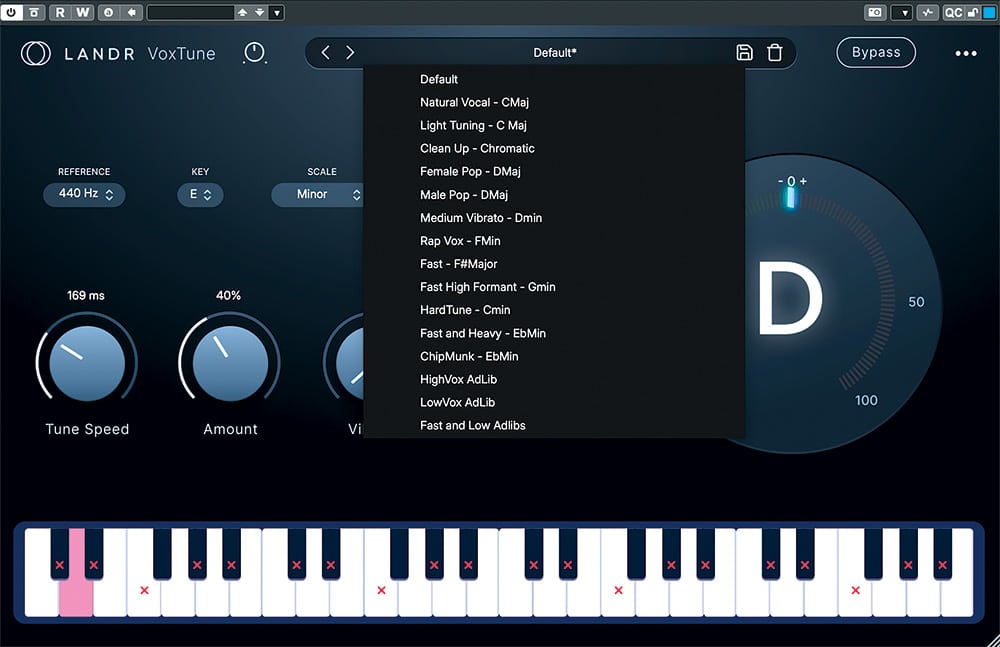
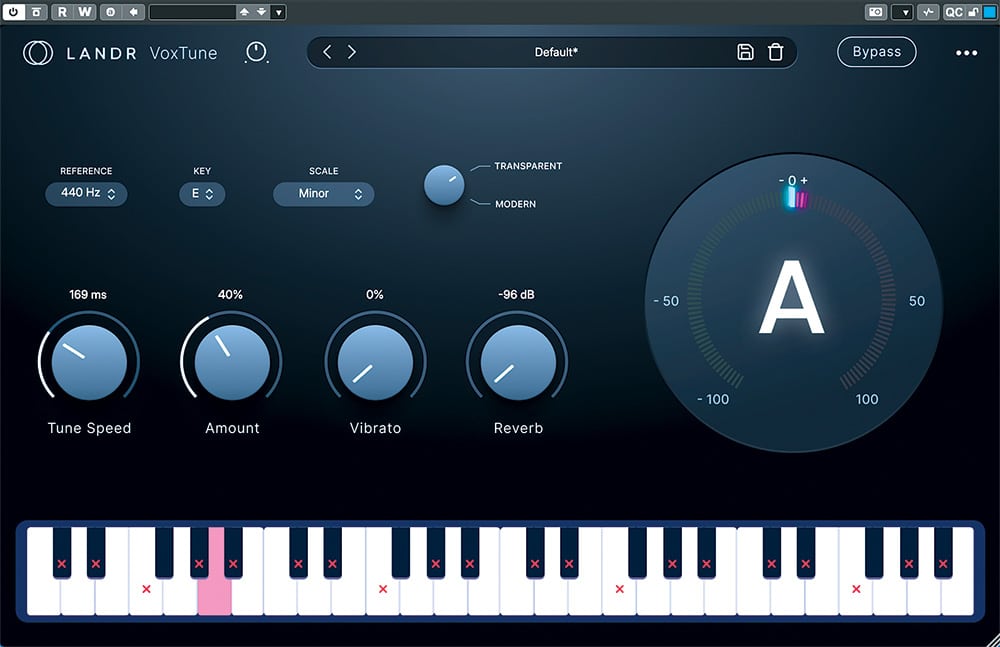
VoxTune is a real-time pitch correction plugin from LANDR, offering zero-latency processing suitable for live performance, tracking and mixing. It can deliver subtle, transparent correction or lean into a more stylized, “T-Pain-esque” hard-tuned effect.
The interface is clean and modern. Across the top, users can set input level, select presets and bypass the plugin. The center section houses the core controls, including concert pitch reference, key and scale (Major, Minor, Chromatic or custom), along with a choice between Transparent (natural) and Modern (more aggressive) modes. A real-time visualizer and keyboard provide clear feedback on pitch detection and correction.
In Transparent mode, controls include Tune Speed, Amount and Vibrato, along with a Reverb knob for adding space. In Modern mode, the Amount control is replaced with a Formant adjustment.
While not as detailed as a graphic editor-style vocal tuning process, VoxTune makes it easy to quickly clean up stray pitches in a vocal or add a creative, modern hard-tuned effect with minimal effort.
LANDR VoxChain
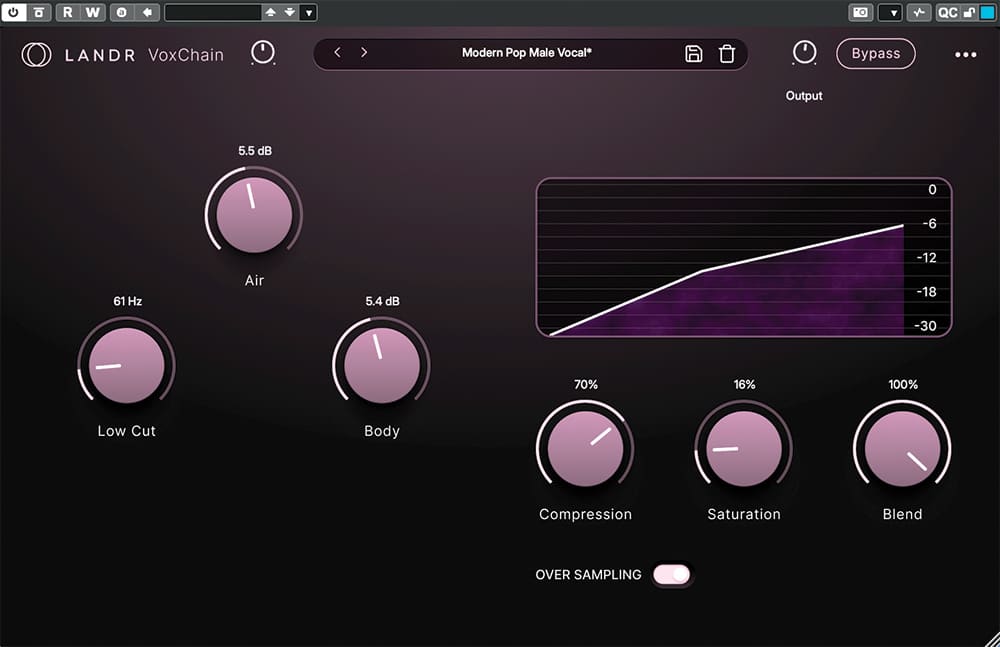
VoxChain is an all-in-one vocal-centric channel strip plugin from LANDR that combines tailored EQ, one-knob compression and analog-style saturation in a simple, easy-to-use interface to quickly enhance a raw vocal and bring it to a more polished, professional result.
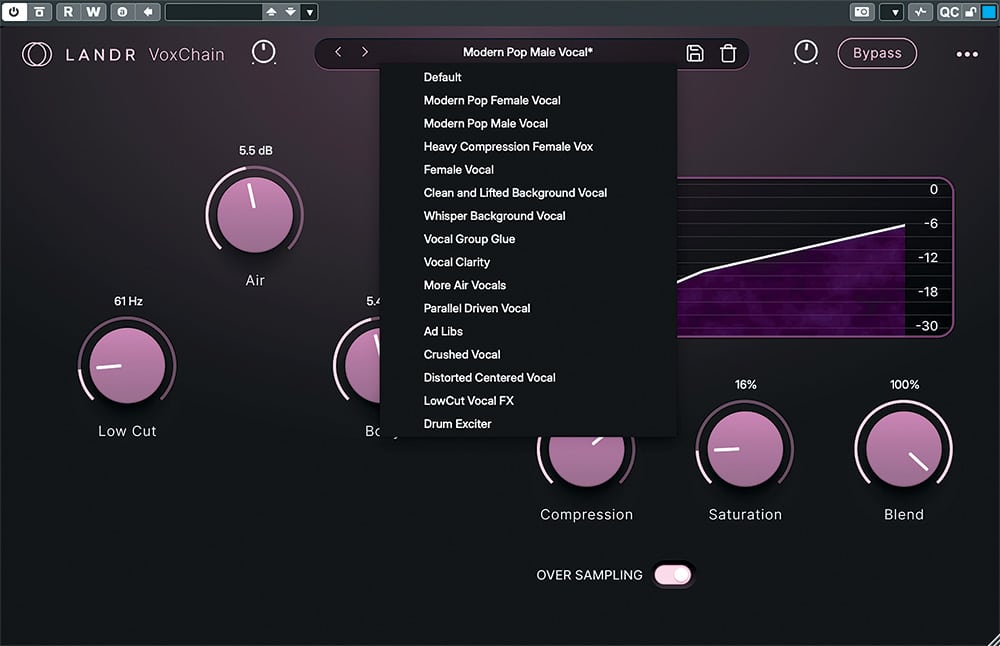
Users have a number of carefully crafted presets to choose from, all of which can be further tailored as needed. The left-hand side of the plugin features three EQ knobs: Low Cut for reducing mud, Body for increasing depth and warmth, and Air for openness and clarity. The right-hand side provides three knobs for dynamic control and color: Compression, Saturation and Blend.
At the bottom of the panel is an oversampling switch, which increases the internal sampling rate during mixdown to reduce unwanted aliasing and artifacts.
In use, VoxChain does its job well, quickly crafting a usable vocal track with just the right amount of intuitive control to keep a session flowing without being overburdened by deep-level parameter choices.
LANDR FX Voice
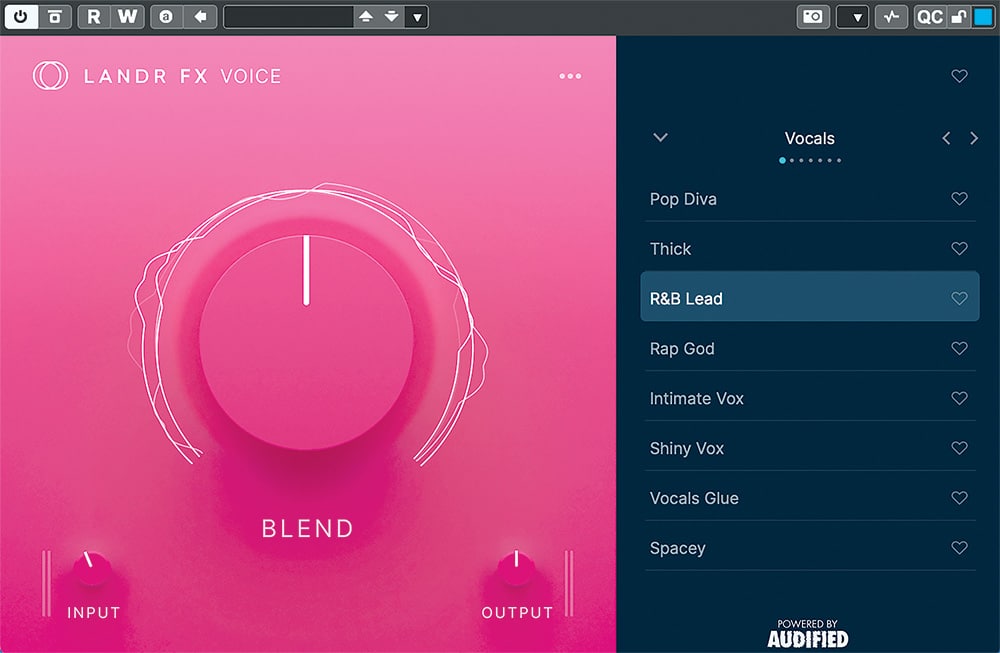
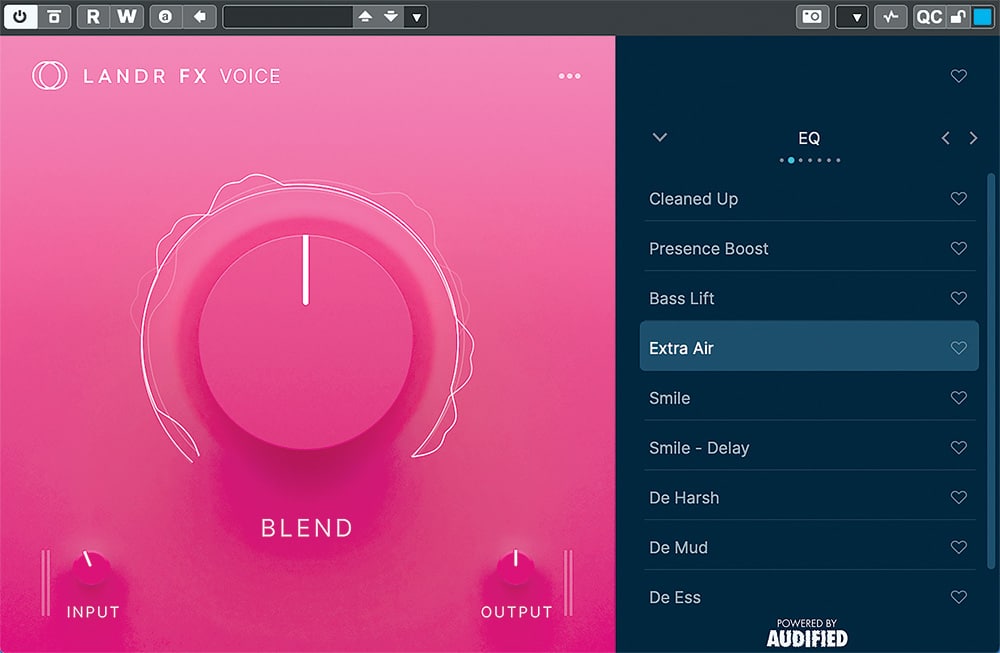
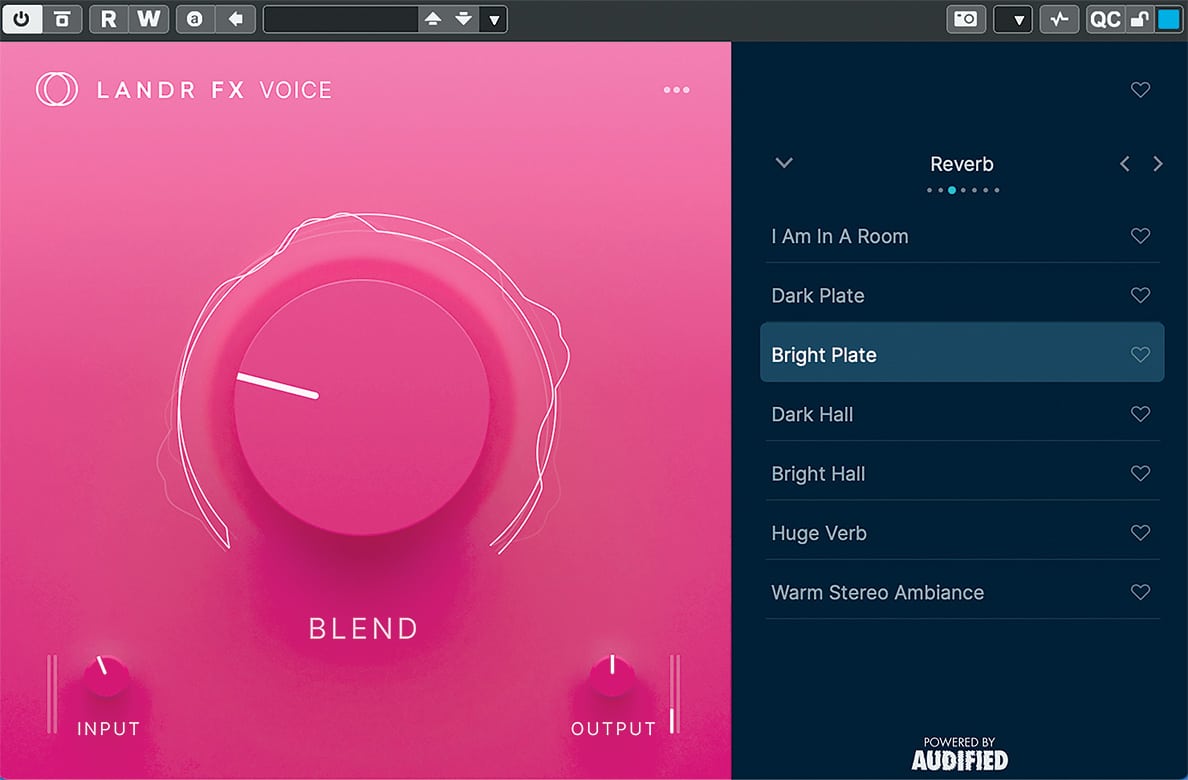
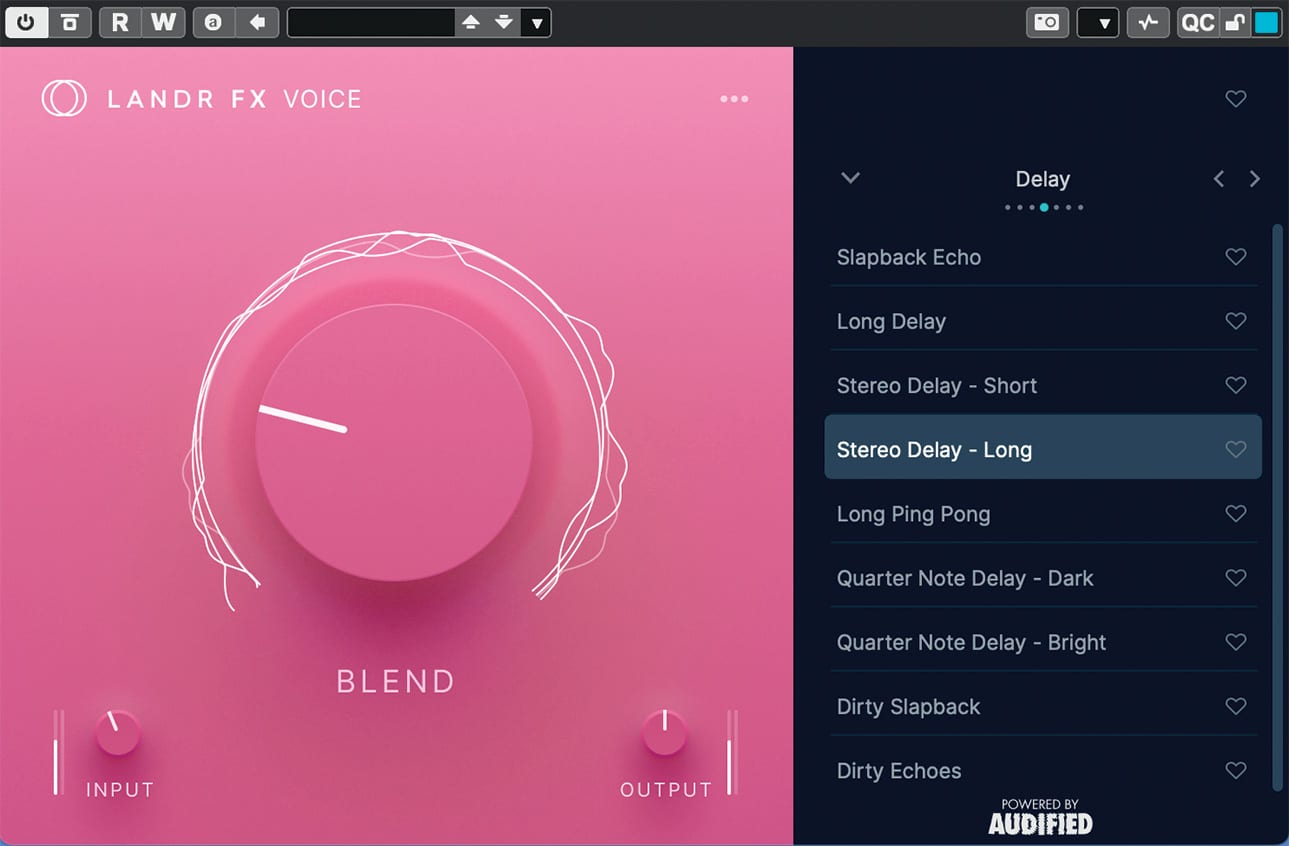
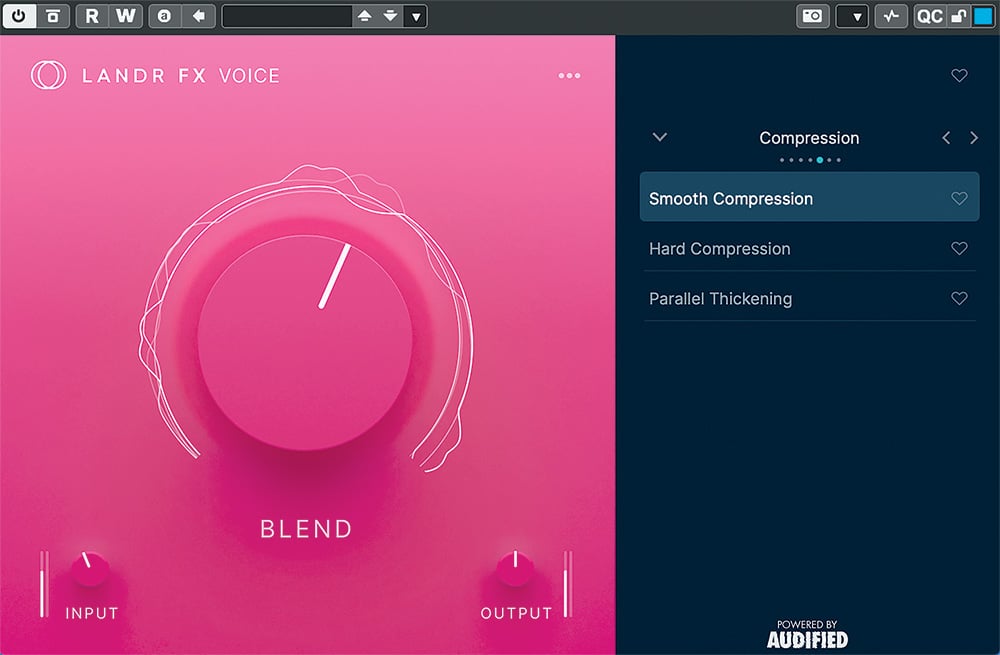
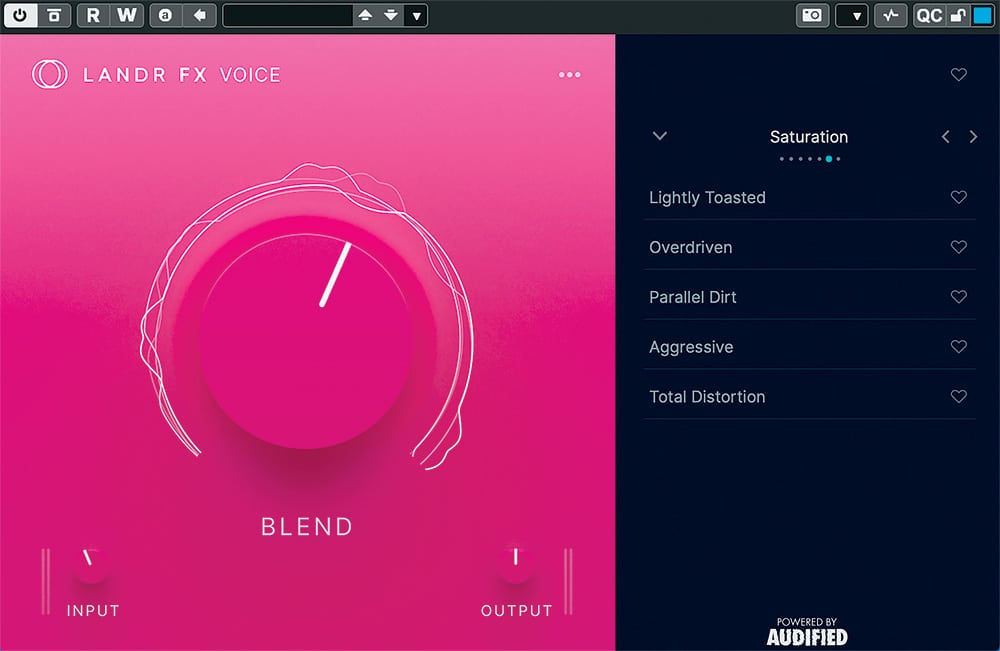
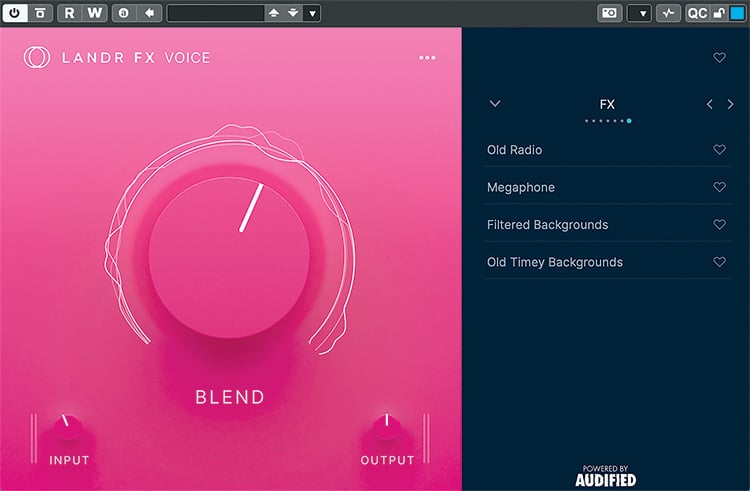
FX Voice (powered by Audified) is a multi-effect, channel strip-style plugin from LANDR for adding character, EQ and compression to a vocal. Like the rest of the lineup, the interface is intentionally simplified to keep things moving and deliver polished results quickly. While it may seem a bit redundant at first glance, it is designed to complement VoxChain by focusing more on polish and spatial effects.
The left-hand side features a single, large Blend knob for dialing in the intensity of the selected preset, along with input and output controls for proper gain staging. A drop-down menu provides 46 presets covering vocal styles (like “Pop Diva,” “Vocals Glue” and “R&B Lead”), corrective EQ (“Cleaned Up,” “Extra Air,” “De Mud”), along with reverb, delay, compression, saturation and special effects. It really is as simple as picking a preset and dialing in the amount.
There is a generous range of sounds here, and it is easy to get something usable fast with minimal tweaking. Some users may wish for deeper control or the ability to reorder effects, but plenty will appreciate the focus on speed, simplicity and results.
LANDR VoxDeEss
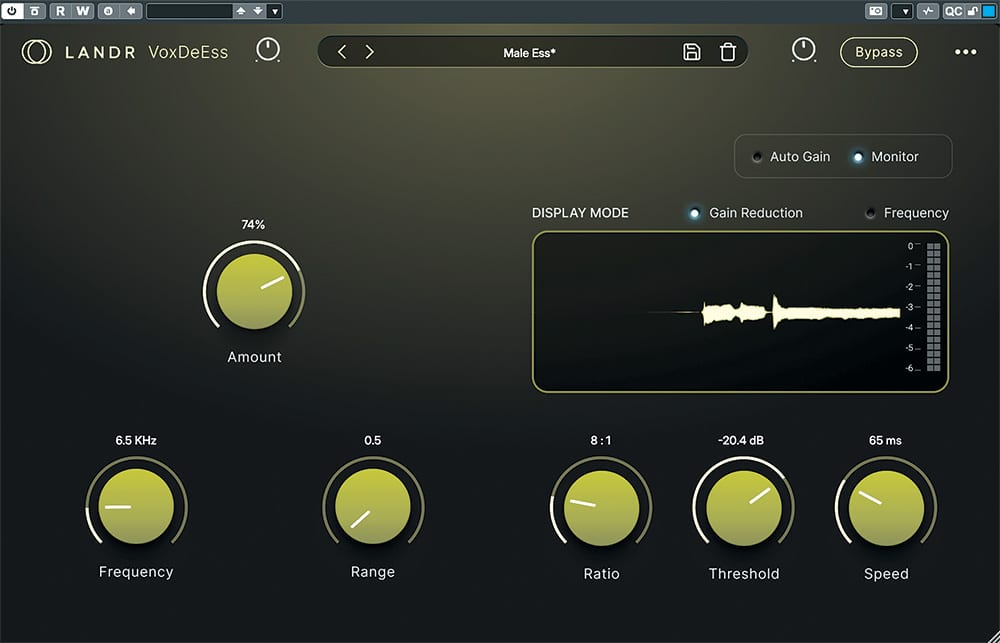
A de-esser’s job is to tame harsh sibilance that can occur in a vocal—especially after compression—while preserving brightness and natural tone. In other words, it controls overly sharp, “lispy” consonants that can distract the listener. LANDR VoxDeEss handles this well, with a combination of ease, precision and transparency. Its near-zero latency also makes it suitable for live tracking or podcast work.
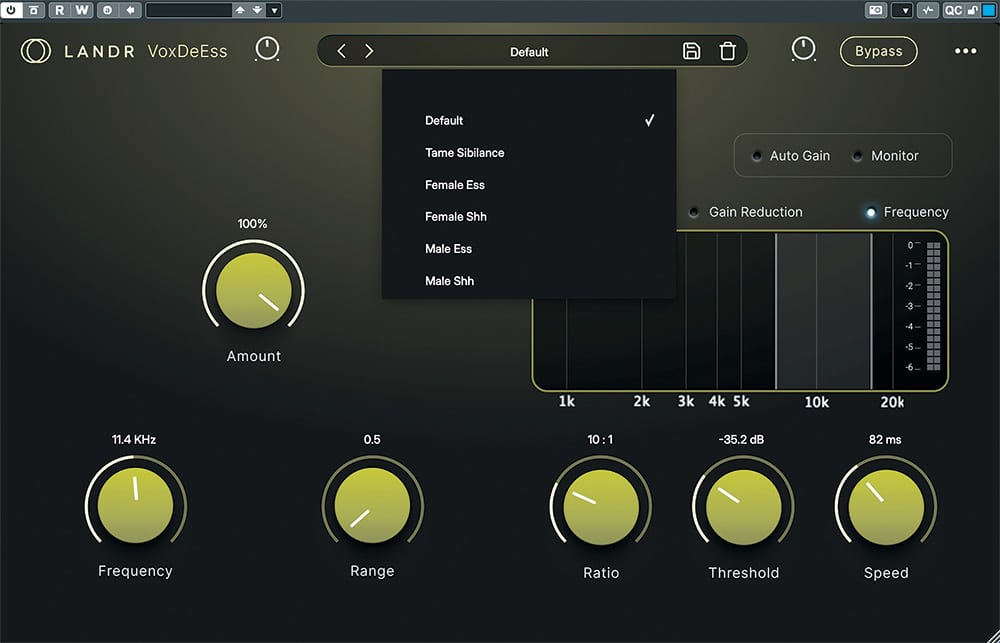
As expected, the interface is clean and uncluttered. A dropdown menu offers a handful of presets to get started, with gain and bypass controls close at hand.
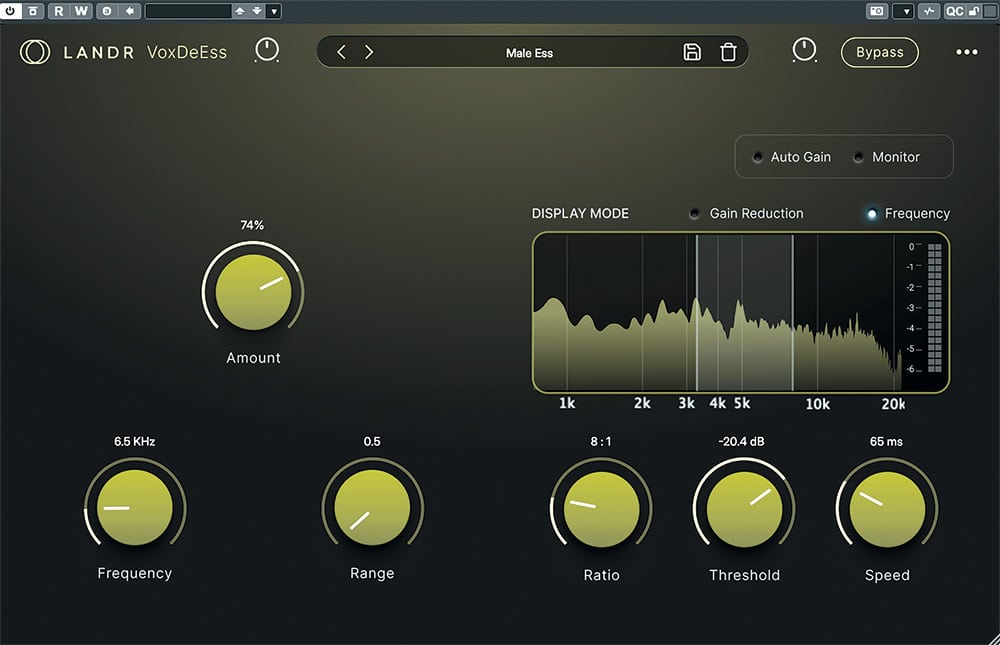
Once a preset is selected, there is a solid amount of control available. On the left, knobs for Amount, Frequency and Range shape the response. On the right, you can enable automatic gain and monitor the affected signal to hear exactly what is being reduced. A central display provides visual feedback, with options to view either gain reduction or affected frequencies. Below that are controls for Ratio, Threshold and Speed.
Of all the LANDR vocal plugins, this one understandably offers the most detailed control, but it can still deliver musical results quickly by simply selecting a preset and letting it do its thing. Overall, VoxDeEss is fast, intuitive and unobtrusive.
LANDR VoxVerb
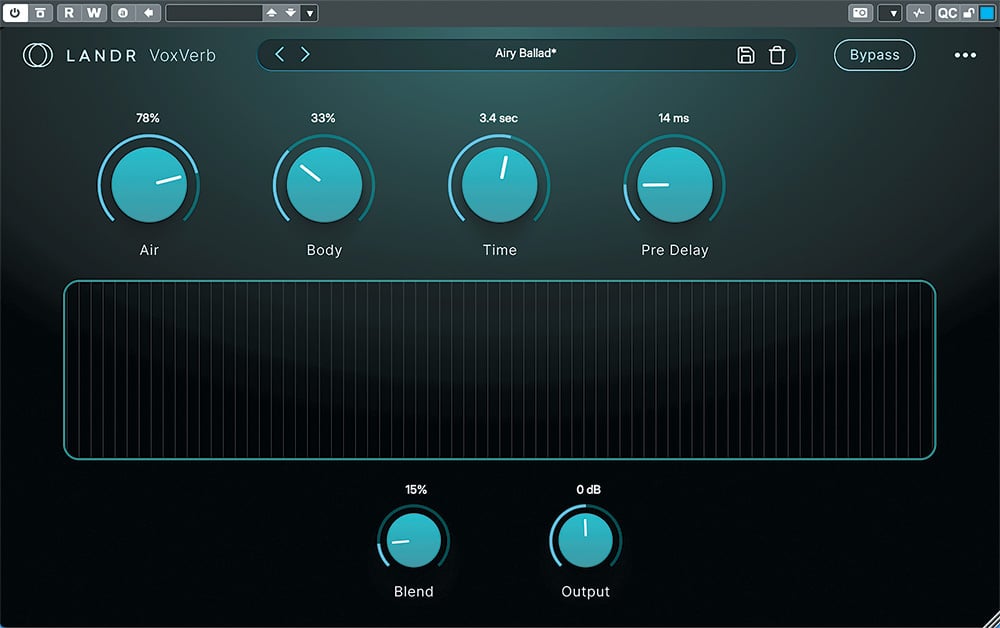
Rounding out LANDR offerings is VoxVerb, a vocal-optimized reverb plugin that provides immersive depth and ambience to vocals without overwhelming the mix, offering the gamut from tight rooms to cavernous interiors.
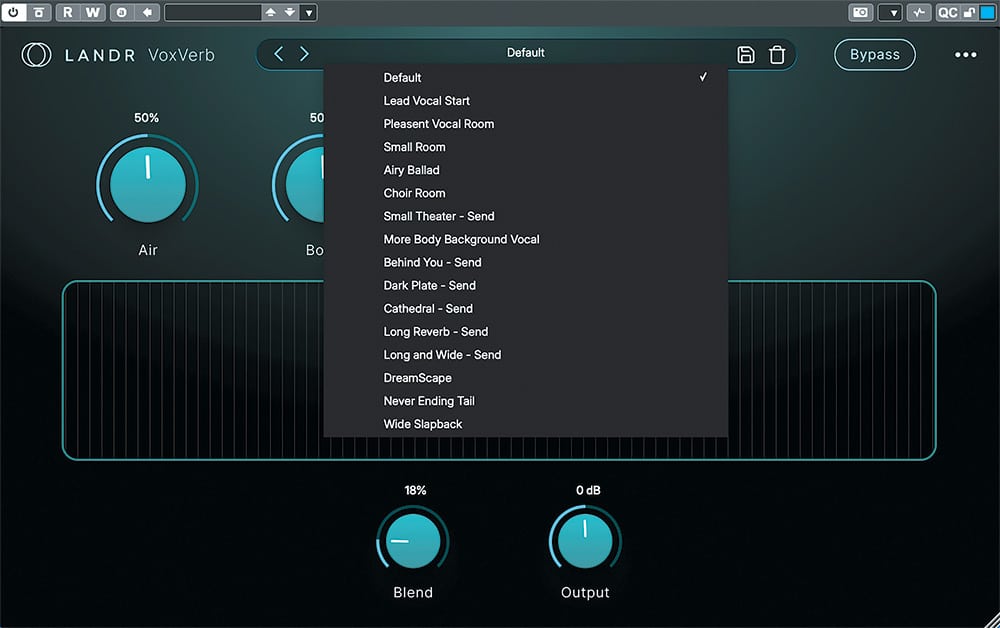
The interface is clean and intuitive, and like the rest of the bundle, includes a range of curated, customizable presets. Five primary controls sit across the top: Air (high-end sheen), Body (midrange), Time (decay length), Pre-Delay (reverb onset) and Width (stereo image). At the bottom are Blend and Output controls for dialing in level and mix.
VoxVerb also features a center display for direct visual feedback on how adjustments to each parameter are affecting the sound. Since VoxVerb is tailored specifically for vocals, it is ridiculously simple to call up a preset and dial in the perfect ambience setting for your track, and the spaces sound quite good and very usable in a mix.
Wrap Up
LANDR vocal plugins provide a straightforward and effective solution for vocal production. Each works seamlessly together, making it incredibly easy to take a raw vocal track and turn it into something relatively radio-ready. Do they offer the deep customization of higher-end tools? No—but that is not really the point. The strength here is ease of use without sacrificing sound quality. They are a great fit for anyone who wants professional results without getting too deep into the weeds.
Price: Studio Essentials – $13 monthly; $8.25/month annually
Studio SE – $20 monthly; $12/month annually Studio – $25 monthly; $16/month annually
More From: landr.com