

Take control of your sound and your monitors
Review By Paul Vnuk Jr.
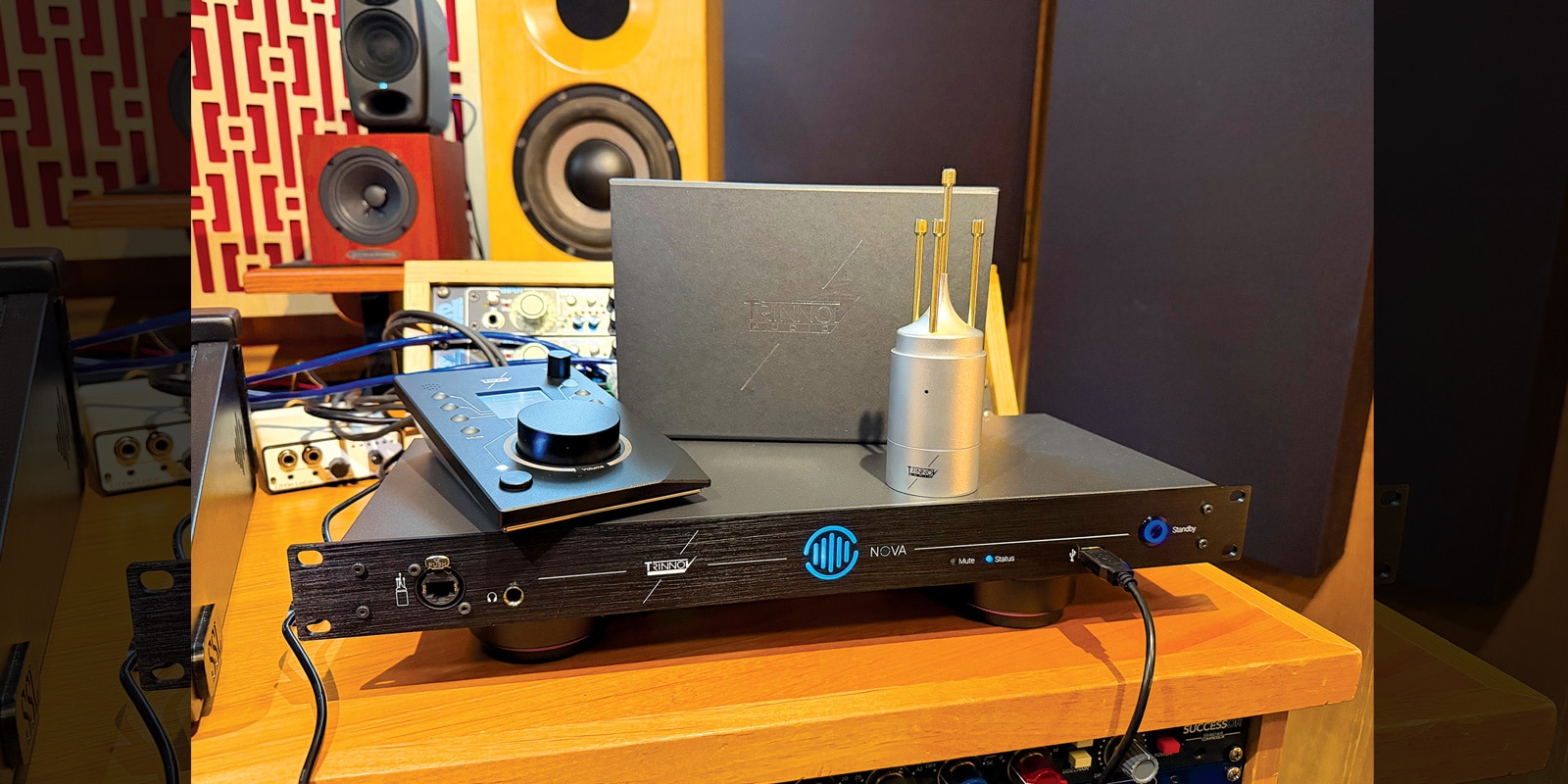
Nova is the latest product from Trinnov Audio. It brings the company’s well-established acoustic optimization technology into a more streamlined package, offering flexible room correction, multi-monitor control and audio interface functionality in a single,19-inch, one-rack-space unit.
Meet Trinnov
Founded in France in 2003, Trinnov Audio has spent the past two decades pioneering and refining its precision room correction and acoustic optimization technology. Known for products such as the expandable D-Mon system and, more notably, its Optimizer technology, Trinnov equipment can be found in recording, mastering and immersive studios around the world—as well as in many high-end home theater installations.
Room Correction
While nothing replaces a good set of monitors in a properly treated, purpose-designed room, no space is ever truly perfect. As such, algorithmic or computational room correction—also known as room optimization or speaker calibration—is often used to complete the process and, in many cases, to make less-than-ideal home spaces far more usable.
In simplified terms, test tones and frequency sweeps are played through the monitors and captured by a calibrated measurement microphone. The resulting data is analyzed, and tonal and time-based corrections are applied. The goal is to achieve a neutral, “flat” representation of the speakers within the room.
Today, room correction is available in both software form and as part of dedicated hardware processors—such as Nova—with prices ranging from a few hundred to several thousand dollars. Trinnov occupies the upper end of that spectrum—not budget territory by any means. That said, Nova represents the most accessible and affordable system developed by Trinnov to date.
Nova
Nova is a 1U, 19-inch, all-metal rackmount unit with a clean, straightforward design. Aside from a front-panel standby/mute button, it offers no physical controls. The front panel features an EtherCON port for the Trinnov Calibration Microphone, a Type-A USB port for the Trinnov La Remote, and a 1/4-inch TRS headphone output. You‘ll also find status and mute LEDs, along with a large, multicolored illuminated logo ring that indicates when room optimization is active or bypassed.
More than a simple correction box that sits between your interface and speakers, Nova is also a full-featured monitor controller and DA converter featuring newly designed ESS Sabre-based Trinnov Audio Core conversion, plus a 16-channel Dante interface.
Connections
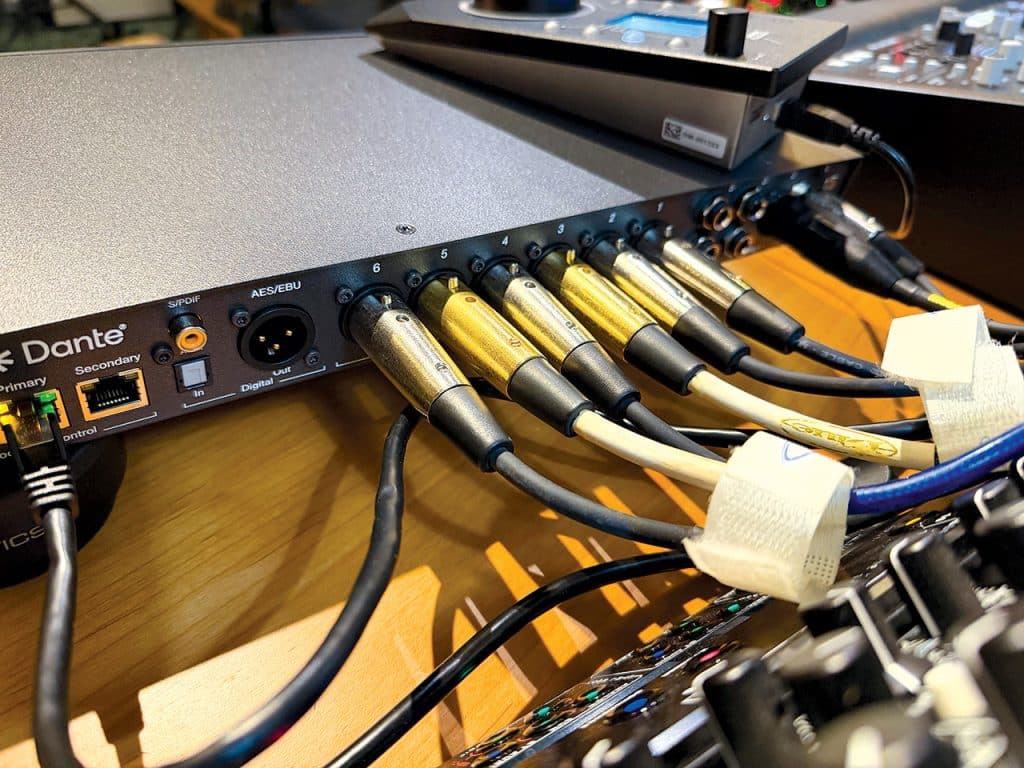
The rear panel provides two balanced XLR and four balanced TRS inputs, along with six balanced XLR outputs that can be configured as three stereo pairs or as mono feeds for subwoofers or a “check” speaker.
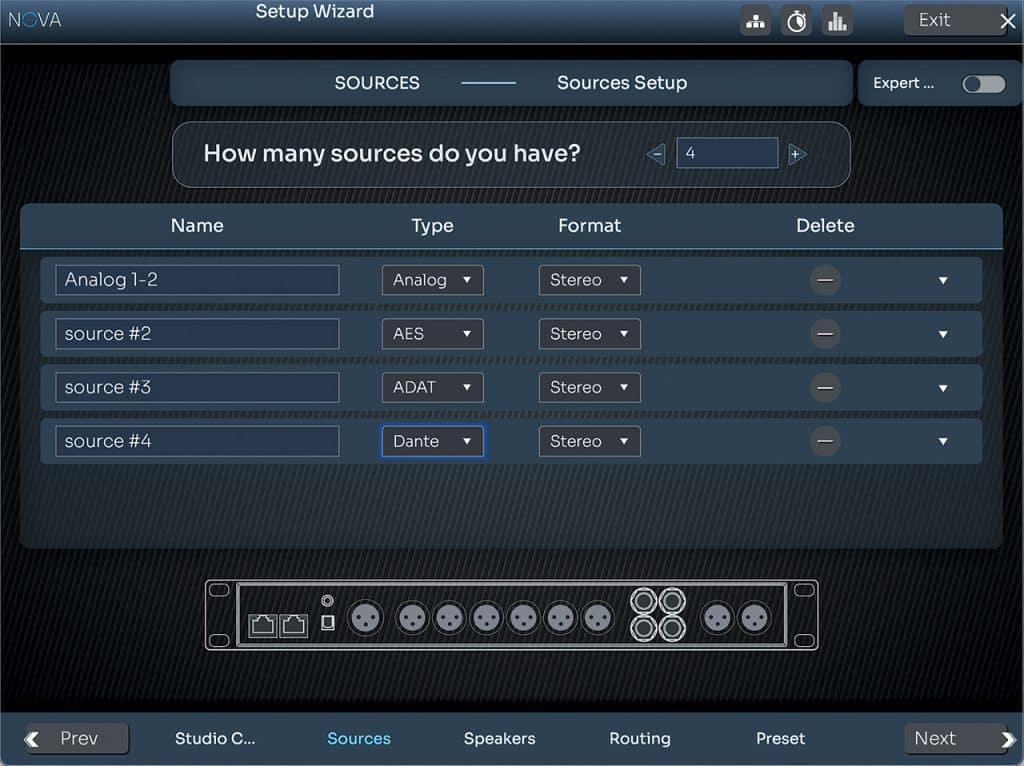
Digital connectivity includes XLR-based AES/EBU, coaxial RCA SPDIF and optical ADAT/SPDIF inputs. Dual RJ45 Ethernet Dante ports (also used for computer control), a USB service port and an IEC power connection round out the rear panel.
EtherCON 3D
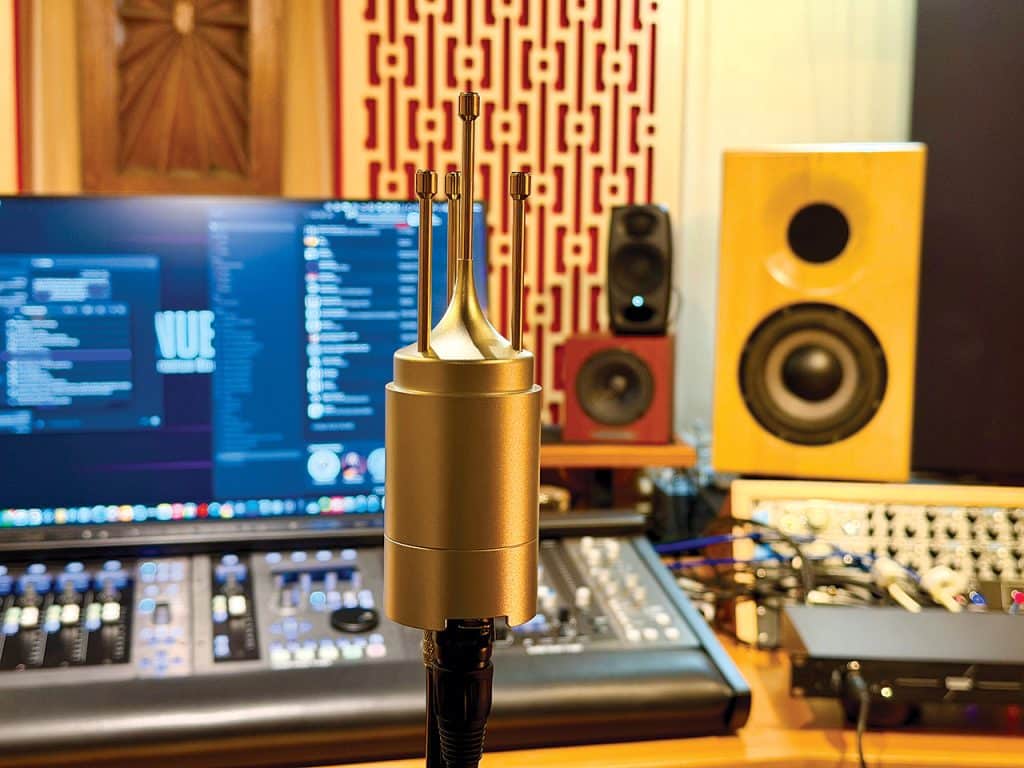
Nova ships with a proprietary EtherCON 3D Measurement Microphone—an updated, in-house design based on Trinnov’s earlier XLR-based 3D model. Unlike typical, often budget-grade measurement mics, the EtherCON 3D features four omnidirectional small-diaphragm condenser capsules arranged in a precise tetrahedral layout atop a large, LDC-sized body. A built-in stand mount and the EtherCON connector sit at the base.
The mic ships with a molded protective screen, cloth bag and a generously long EtherCON cable. According to Trinnov, it delivers a frequency response of 20 Hz to 24 kHz (±0.1 dB) and spatial accuracy within ±2° of azimuth, ±2° of elevation and ±1 cm of distance.
Powered by phantom power, this updated version also includes internal memory that stores its individual calibration data, eliminating the need for external compensation files that previously shipped on USB drives.
Setup
Despite its deep capabilities, Nova is surprisingly easy to set up—whether used as an analog, digital, or networked Dante device.
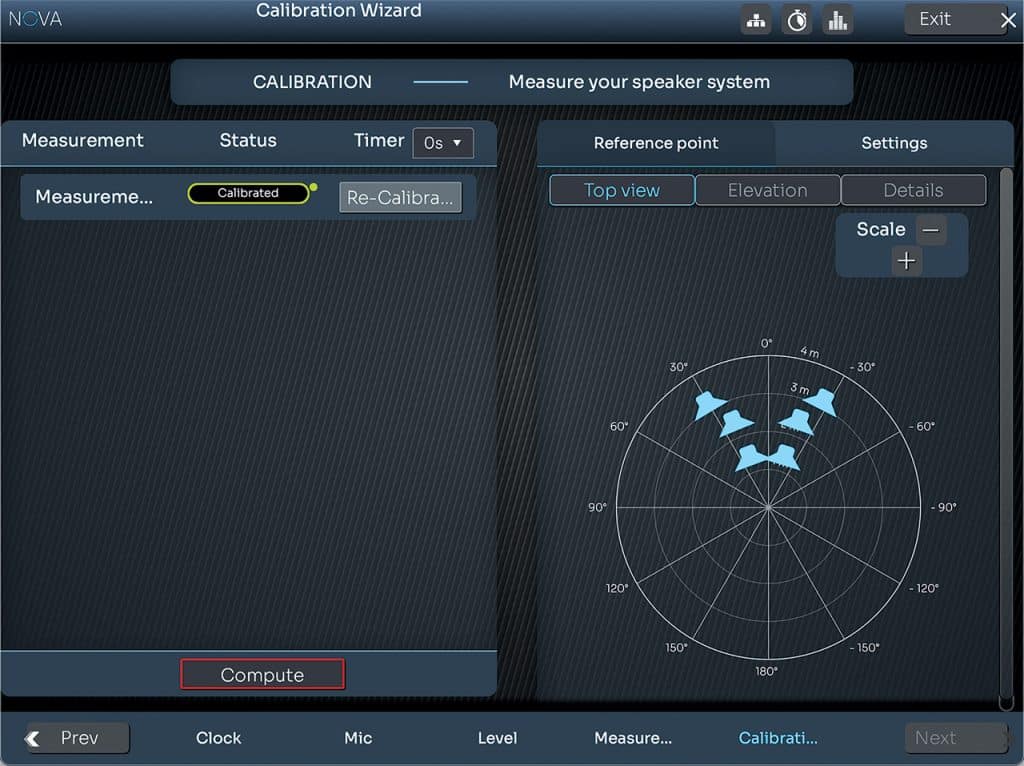
Regardless of configuration, Nova must connect to a computer or network via its primary RJ45 Ethernet port for communication with the Nova Control App. Once connected, the app guides you clearly and logically through setup and calibration.
Calibration
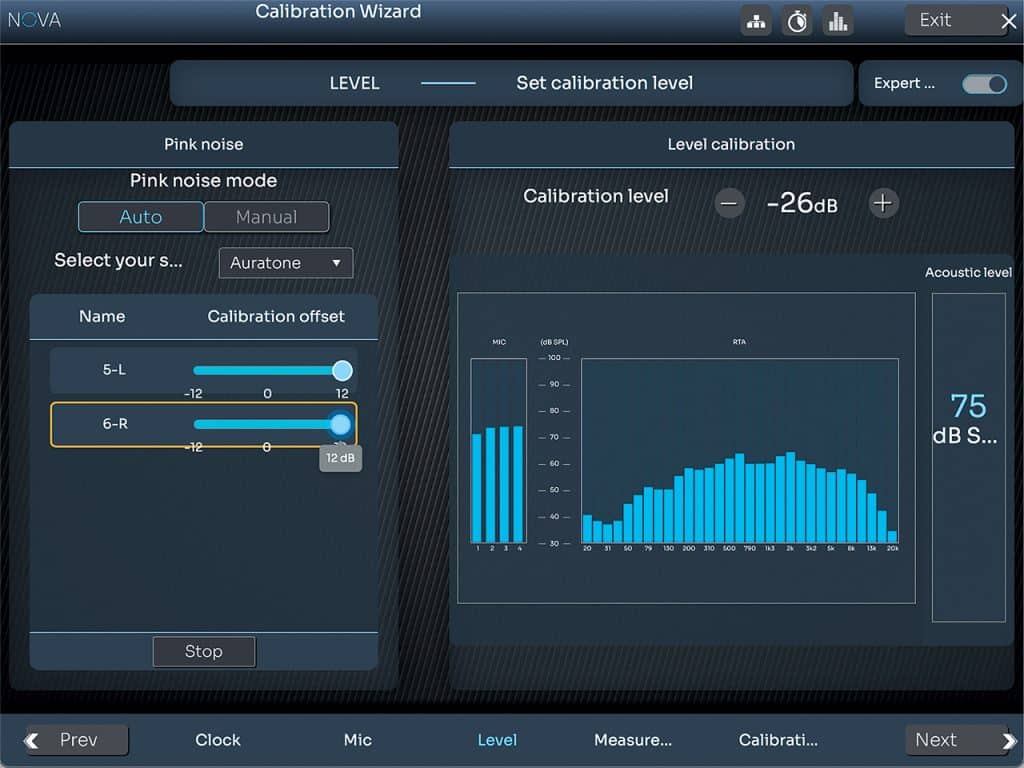
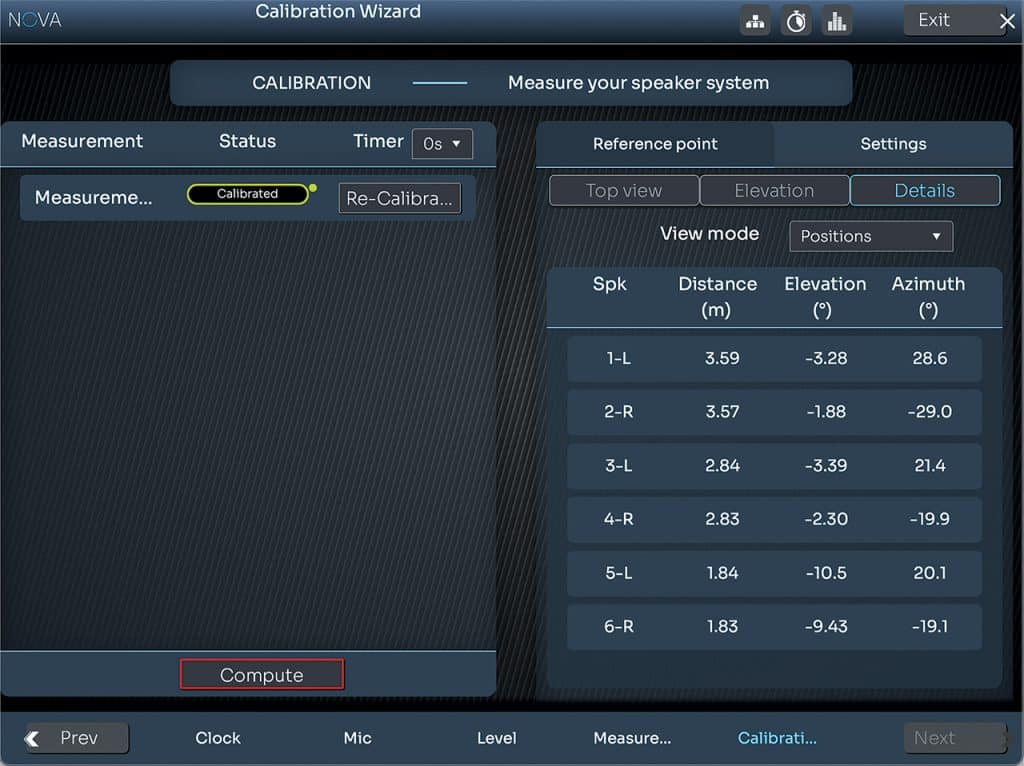
The calibration process with Nova proved simple and largely automated.
The process begins by placing the microphone (with the Trinnov logo facing forward) at ear level—capsules pointed upward—at the third point of the main listening triangle. Unless there is a need to accommodate multiple engineers or a wide sweet spot, Trinnov recommends this single microphone position. From there, the Nova Control App runs the test tones, captures the data and generates correction filters.
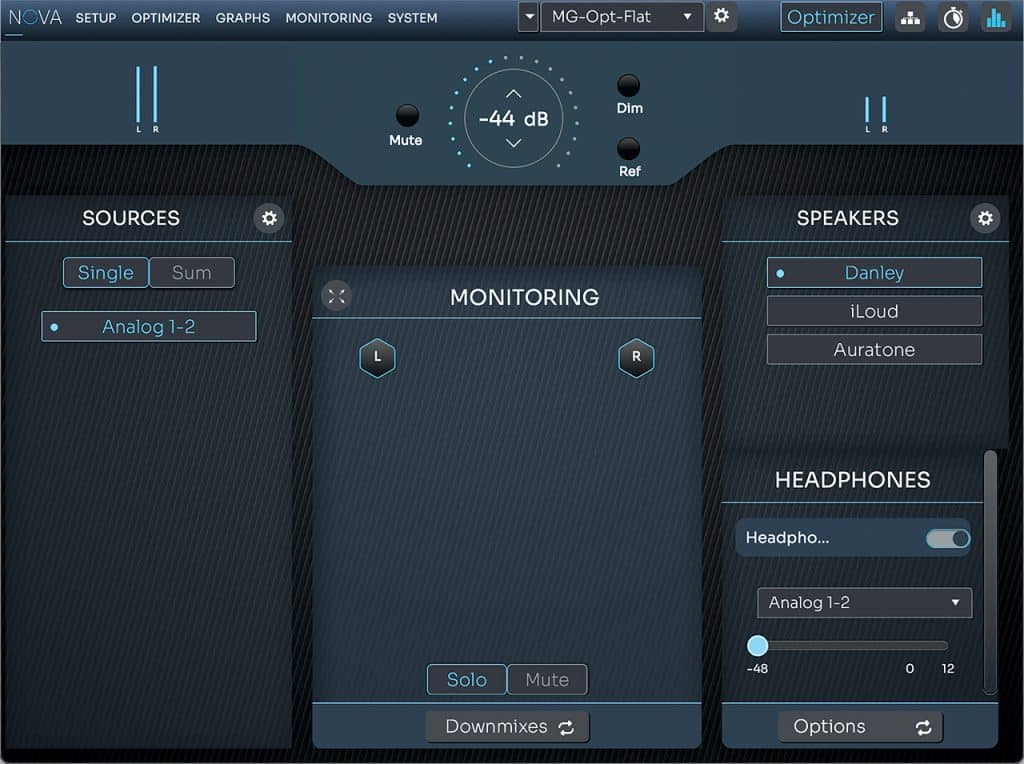
Nicely, Nova handles the calibration of multiple monitor sets sequentially without requiring a restart. The unit includes a license for one stereo pair and an optional subwoofer; additional pairs require separate licenses ($600 each). It is still possible to switch between multiple sets with one license, though only the main pair receives correction.
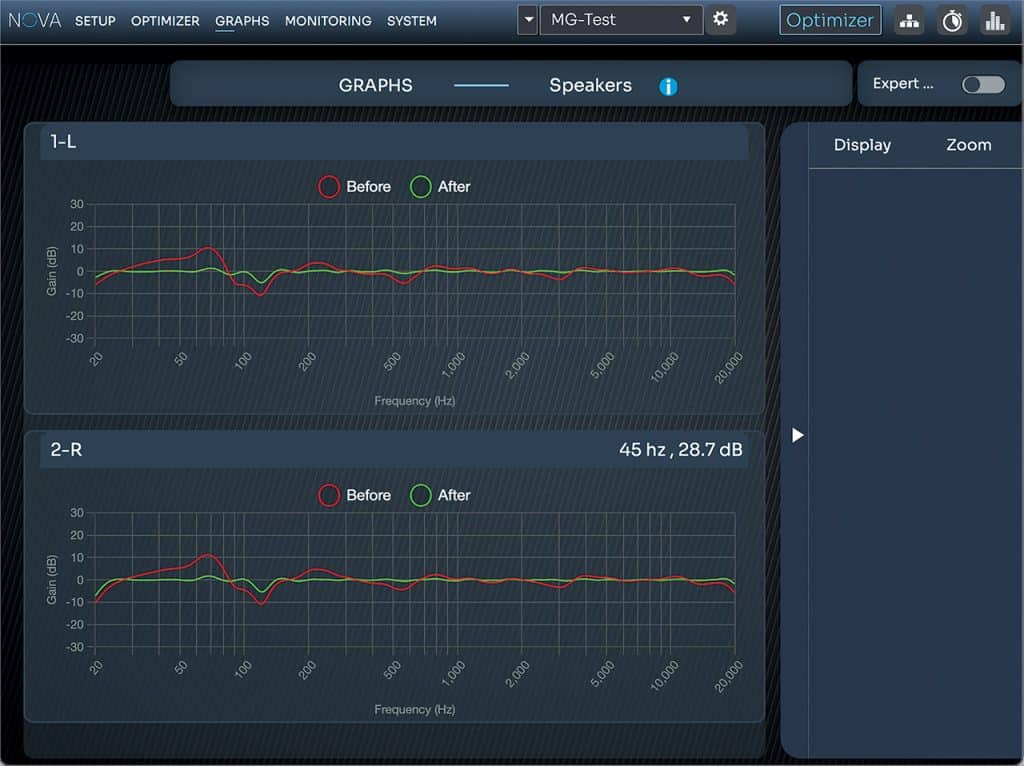
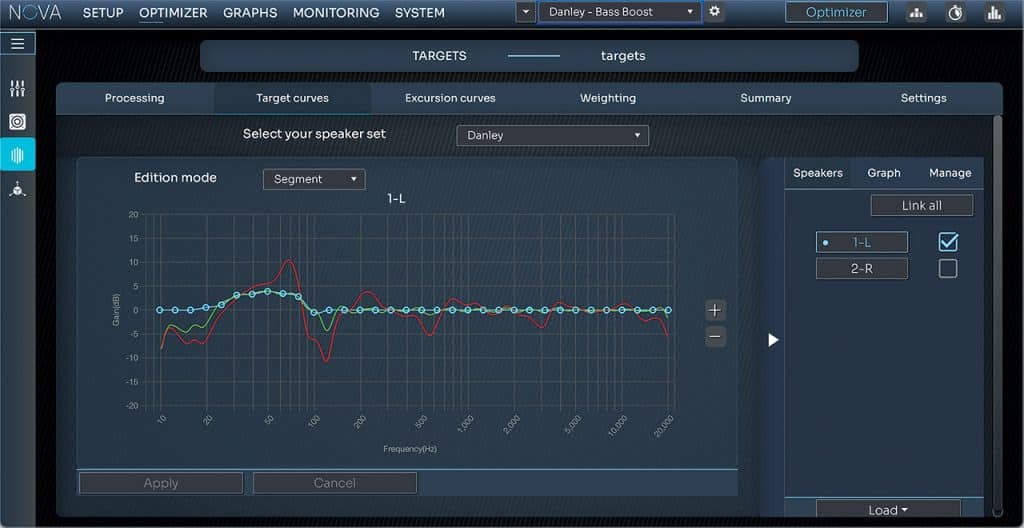
After calibration, the Nova Control App displays a before-and-after response graph. The results can be accepted as is, or the resulting curves can be fine-tuned, and multiple versions can be stored for recall.
Taking Control
With no physical controls on Nova, operation is managed in several ways.
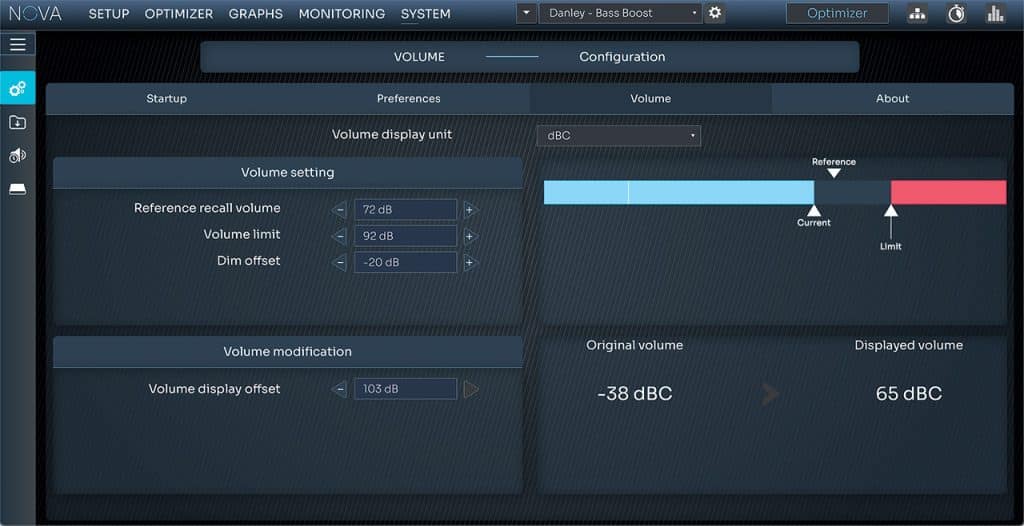
The most comprehensive is the desktop-based Nova Control App. It provides full-featured, flexible monitor-control functionality, including monitor switching, level adjustment, mute, dim, reference level selection and mono checking. Users can also balance and match monitor levels, apply EQ to individual speakers or pairs, and explore many additional options—even before engaging any room-correction features. A particularly useful function is the ability to define a maximum output limit and to view calibrated monitor levels in actual dBC.
Another option is the Trinnov Control App for iOS and Android, which allows remote access to key functions when both Nova and the mobile device are connected to the same network.
Nova is also Avid EUCON compliant, offering an additional method of integration and control.
 La Remote
 La Remote
The optional Trinnov La Remote ($990) is the most tactile way to operate Nova. This USB-based, boutique-quality desktop controller features a smooth, stepped master volume knob and 10 programmable, backlit buttons that can be assigned to functions such as monitor or source selection, mute, dim, preset recall, optimization bypass and more. A monochrome display shows assigned button functions, volume level and preset selection.
Button mapping, knob range and display settings are handled within the Control App.
The build quality is outstanding. While a full-color display would be nice, the simple screen works fine once you develop muscle memory for your preset control buttons and occasionally glance to check the dB levels.
Speaker Corrections
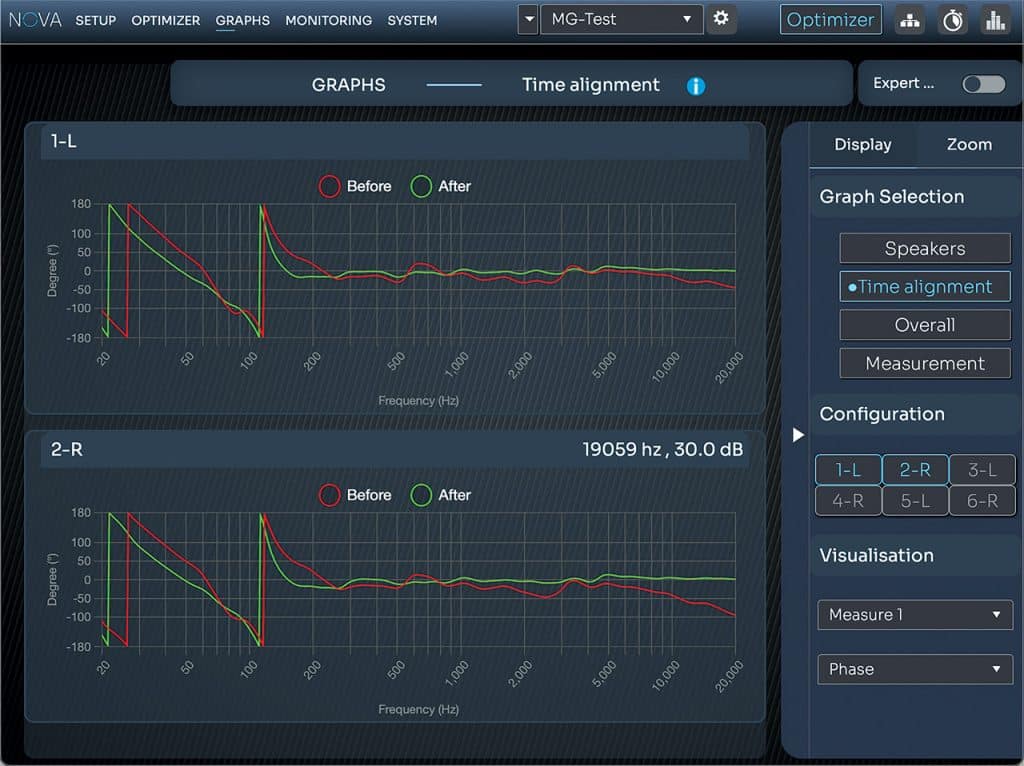
While many competing systems handle basic room EQ and time delay, Nova corrects for EQ (amplitude and frequency), time, delay and phase—arguably its standout feature—along with level alignment across all connected speakers.
For subwoofer setups, Nova also manages crossover alignment, driver phase and bass management.
In Use
Nova is equally adept at correcting compromised speaker placement or untreated rooms as it is at enhancing perfectly aligned monitors in well-treated spaces.
Before running calibration in my fully GIK-treated mix room, I double-checked monitor positioning using a laser measure and digital angle meter. My setup includes 3-way coaxial Danley Labs TD-H3 main monitors, IK Multimedia iLoud Micro Monitor Pros (with their internal correction disabled),and Auratone 5C Active Super Sound Cubes. I also used the laser to precisely align the measurement mic.
The TD-H3 monitors deliver impressive low-end extension that removes the need for a subwoofer, though in my room that manifests as a bold 70–90 Hz bump and a noticeable 120 Hz null, plus some other minimal “peaks and valleys.” I‘ve long learned to “mix around” these, but Nova tightened the response, tamed the low-end bloom, and improved overall balance and accuracy—in other words, the response of the speakers in the room was flatter.
Once calibration is complete, users can fine-tune target and excursion curves if desired. Multiple presets can be stored and recalled easily, making experimentation safe and reversible. I created a fully flat corrected preset and another
“Danley Bass Boost” preset that restored some (not all) of the low-end heft I enjoy while maintaining the rest of the system’s new accuracy.
Phase for the Win
More than the EQ or level alignment, what truly impressed me about the Trinnov process was its phase correction. Many competing systems adjust delay and timing, which can help with some phase issues, but Nova goes several steps further with some serious phase voodoo.
Nicely, you can individually bypass the EQ, level, and phase correction—an excellent learning and comparison tool. I didn’t think I had phase problems, but toggling the phase correction on and off made the stereo image snap into place with startling precision. The phantom center was much more locked in and dimensional, and the overall imaging gained focus in a way that was, frankly, humbling.
More Speakers, More Fun
The optimization benefits extended to my other monitor pairs as well. Switching between all three sets revealed consistent levels and tonal balance. The IK Multimedia iLouds already include built-in correction and emulation modes, and while I initially questioned the point of “correcting” Auratones, the phase and level improvements alone made it worthwhile.
The headphone output performs well and while it lacks a physical volume knob on the unit, level changes can be made in the app and assigned to La Remote.
Finally, Nova includes a full hardware bypass. Since its processing introduces a small amount of latency (unavoidable given the depth of its analysis), this feature is especially useful when tracking through your monitors.
Wrap Up
So, is the Trinnov Nova a worthwhile tool that lives up to its next-level room correction claims? Yes, one thousand percent—no question. Nova is that impressive. Is a fully loaded Trinnov Nova system expensive? Yes, no question there either, especially when you add the La Remote.
I thought I was satisfied with the sound of my speakers in my room—until I heard what the Trinnov Nova could do.
Putting the cost in perspective, Nova delivers some of the most advanced room correction I‘ve heard to date, and it‘s also one of the most flexible and fully featured monitor controllers available. Add to that its multichannel Dante routing, and you have icing on an already delicious cake.
Price: $4,999 Nova/EtherCON 3D mic; $990 La Remote; $600 2-channel measurement add-on
More From: trinnov.com